

Knowledge of Microsoft tools has become a critical asset for workers across Canada in the rapidly changing world of technology. We have carefully compiled a list of the best Microsoft online courses to give you the in-demand skills employers in Canada are looking for.
In 2026, proficiency in Microsoft 365 tools (especially Excel, Teams, and SharePoint) remains one of the most requested skills by Canadian employers across nearly every industry.
These courses provide a path to success across numerous industries, from understanding fundamental productivity software to delving into cutting-edge cloud technology. With these game-changing Microsoft courses, prepare to seize fresh job prospects and remain ahead of the competition.
| Course Name | Students Enrolled | Reviews |
|---|---|---|
| Coursera – Microsoft Excel Skills Professional Certificate | 85,000+ | 18,000+ |
| Coursera – Microsoft 365 Fundamentals Specialization | 52,000+ | 14,000+ |
| Udemy – Ultimate Microsoft Office | 60,000+ | 11,000+ |
| Udemy – Microsoft Excel – From Beginner to Advanced | 1,200,000+ | 380,000+ |
| University of Toronto – Microsoft Canada Skills Program | 55,000+ | 20,000+ |
| The Great Canadian Training Courses – Microsoft 365 Training Courses | 38,000+ | 8,000+ |
| University of Victoria (UVic) – Microsoft Office Bootcamp | 6,500+ | 2,100+ |
Coursera – Microsoft Excel Skills Professional Certificate
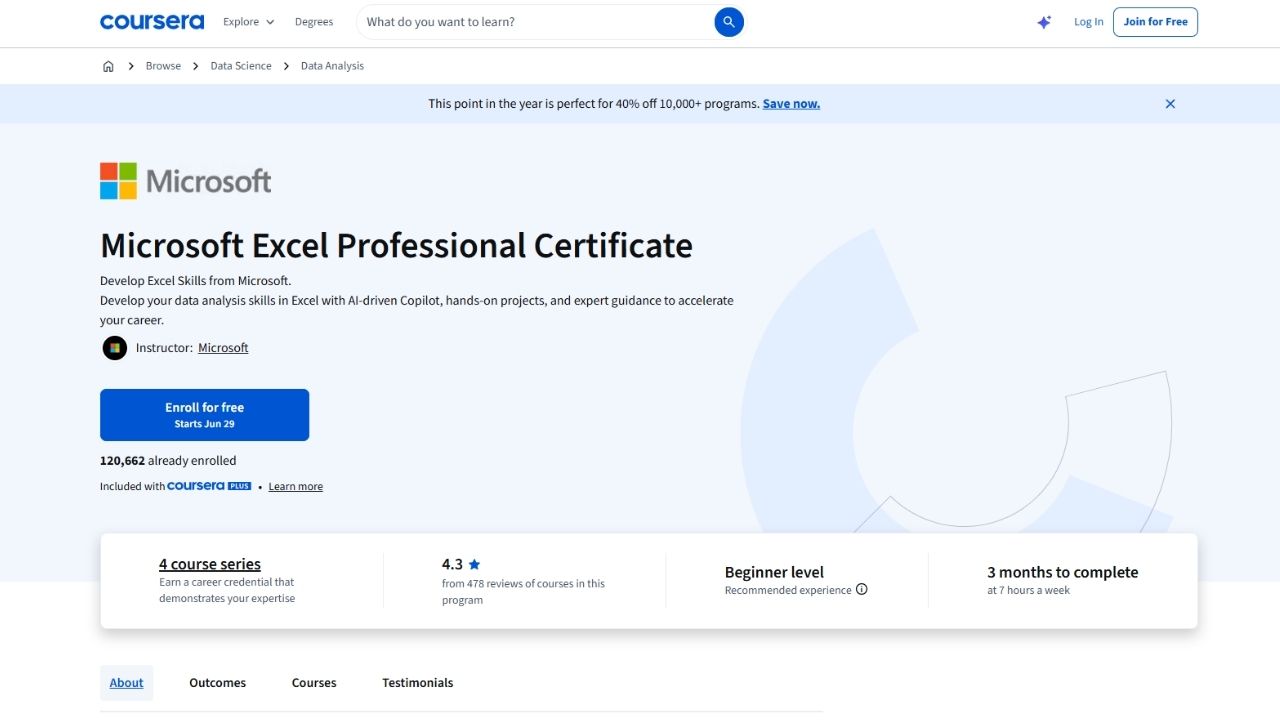 This professional certificate on Coursera focuses on building advanced, job-ready Excel skills. It covers data analysis, automation using Power Query and Power Pivot, dynamic dashboards, financial modeling, and best practices for professional Excel use. The program is designed to help learners move from basic spreadsheet use to becoming highly proficient in Excel for business and data-driven roles. It is especially valuable in 2026 as employers continue to prioritize strong Excel and data analysis capabilities.
Coursera – Microsoft 365 Fundamentals Specialization
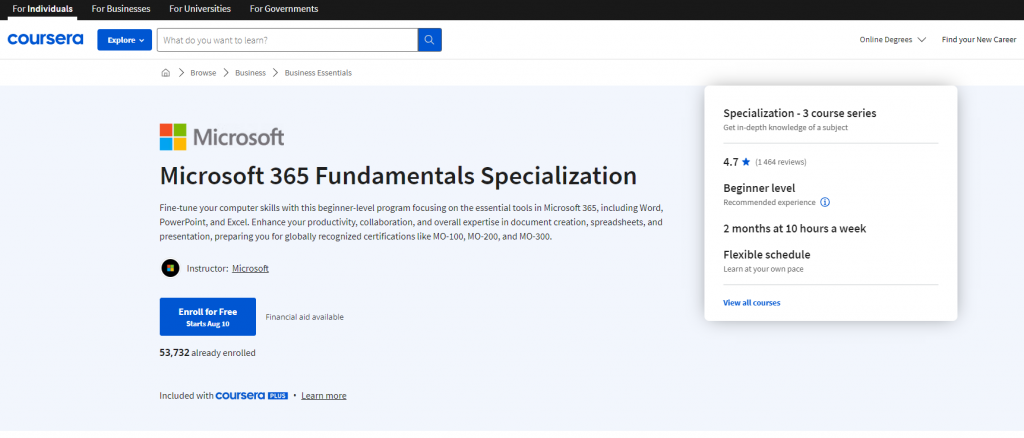
Coursera’s Microsoft 365 Fundamentals Specialization is designed to efficiently equip novice computer users with a comprehensive understanding of Microsoft 365.
With a focus on user-friendly instruction, this program covers various interface features, enabling you to swiftly perform essential tasks and gain proficiency in Word, PowerPoint, and Excel.
This specialization will familiarize you with all the apps and services offered within a Microsoft 365 subscription. As you progress through the course, you’ll witness a notable improvement in your word processing, spreadsheet, and presentation skills, elevating your overall productivity.
The program is tailored to help you work smarter and more collaboratively, leveraging the latest intelligent features of Office 365.
This specialization offers a streamlined and engaging learning experience. By the end of the program, you’ll feel confident navigating the Microsoft 365 ecosystem, ready to harness its full potential in your personal and professional endeavors.
Check out the course here.
Udemy – Ultimate Microsoft Office
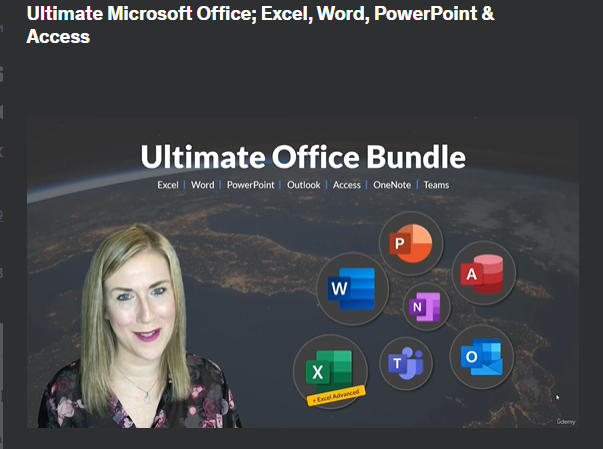
Udemy’s Ultimate Microsoft Office Course is your comprehensive guide to proficiently using Excel, Word, Access, and PowerPoint. Whether you’re a seasoned professional or a beginner, this course caters to all skill levels, providing a hands-on, step-by-step approach to learning.
The course has comprehensive content, which includes the following topics:
- Microsoft Excel: From basic spreadsheet functions to advanced data analysis techniques, this section will turn you into an Excel expert. Learn to create dynamic charts, use complex formulas, and leverage powerful tools for organizing, manipulating, and visualizing data.
- Microsoft Word: Master the art of word processing and take your document creation to new heights. Explore time-saving shortcuts, formatting tricks, and collaboration features that will make your work stand out and impress.
- Microsoft Access: Dive into the world of database management with Microsoft Access. Discover how to design efficient databases, create queries, and build user-friendly forms and reports for streamlined data management.
- Microsoft PowerPoint: Elevate your presentations and captivate your audience with compelling slideshows. Unleash the potential of PowerPoint’s multimedia capabilities and design eye-catching presentations that leave a lasting impact.
The course also emphasizes real-world applications, arming you with practical skills directly applicable to various professional settings. By mastering Microsoft Excel, Word, Access, and PowerPoint, you’ll gain a competitive edge and make yourself more attractive to potential employers.
Once you enroll in the Ultimate Microsoft Office Course, you gain lifetime access to the course materials. Hence, you can stay up-to-date with the latest Microsoft Office updates and features, ensuring your skills remain relevant and cutting-edge.
This course caters to those new to Microsoft Office or transitioning from a previous version and those seeking to enhance their productivity through a comprehensive mastery of MS Office tools.
Discover the course at this link.
Udemy – Microsoft Excel -From Beginner to Advanced
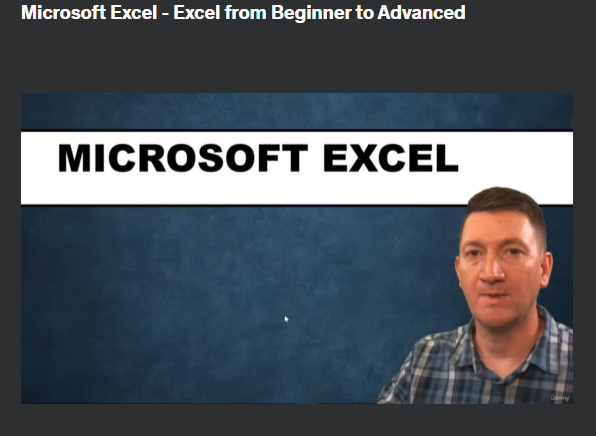
With Udemy’s Microsoft Excel – Excel from Beginner to Advanced course, you can unlock the full potential of Excel and master its most popular tools with ease and finesse.
Upon completion, you will be confident to tackle any Excel task efficiently, making you a proficient Excel user. This comprehensive course covers many topics, ensuring you gain expertise in various crucial areas:
- Creating Effective Spreadsheets: Learn the art of crafting well-organized and visually appealing spreadsheets to present your data professionally.
- Managing Large Sets of Data: Acquire skills to handle extensive datasets, making data management seamless and efficient.
- Mastering Popular Excel Functions: Delve into essential functions like SUM, VLOOKUP, IF, AVERAGE, INDEX/MATCH, and many more, enabling you to manipulate and analyze data effortlessly.
- Creating Dynamic Reports with PivotTables: Discover how to leverage Excel PivotTables to generate dynamic and insightful reports from your data.
- PowerPivot: Unleash the power and versatility of Microsoft Excel’s Add-In, PowerPivot, for enhanced data analysis and reporting.
- Auditing Excel Worksheet Formulas: Ensure clean and accurate formulas by learning how to audit and validate your worksheet formulas.
- Automating Excel Tasks with Macros and VBA: Enhance your productivity by mastering Macros and VBA to automate day-to-day Excel tasks.
This Microsoft Excel course covers four levels of Excel topics: Beginner, Intermediate, Advanced, and Macros/VBA.
If you are eager to elevate your Excel skills from a beginner level to advanced and beyond, this course is tailored for you.
Explore the course by clicking here.
University of Toronto – Microsoft Canada Skills Program
The University of Toronto’s School of Continuing Studies (SCS) has forged a valuable partnership with Microsoft Canada to empower learners with sought-after cloud, data, and AI skills.
SCS will incorporate Microsoft certifications alongside their existing credentials through the Canada Skills Program. This collaboration opens up new avenues for learners, equipping them with cutting-edge skills to flourish in a constantly evolving technological landscape.
As the global demand for skilled professionals in cloud computing, data analysis, and artificial intelligence continues to grow, this initiative is poised to strengthen Canada’s talent pipeline.
Through this program, learners will be equipped to drive innovation, support the country’s advancing economy, and adapt confidently to future challenges.
Access the course materials here.
The Great Canadian Training Courses – Microsoft 365 Training Courses
The Great Canadian Microsoft 365 Training Courses are designed to empower users with essential Microsoft 365 skills and keep them updated with the latest features.
Among the courses they offer, these two specialized courses ensure that you can confidently navigate the world of Microsoft 365.
- Microsoft 365 – The Essentials:
Ideal for all new users stepping into the realm of Microsoft 365 for Business, this course provides an informative understanding of the Microsoft 365 license and equips learners to work proficiently with online Microsoft apps.
After completing the Essentials course, participants will confidently handle essential Microsoft online applications like Outlook, Word, PowerPoint, Excel, and OneNote.
They will also gain proficiency in communication tools like Yammer and Teams, enabling effective collaboration within the Microsoft 365 ecosystem.
Additionally, learners will master file management in OneDrive and SharePoint, making them well-versed in handling crucial aspects of Microsoft 365.
- Microsoft 365 New Features:
This course targets users familiar with an earlier version of Microsoft Office and seeks to acquaint them with the latest and most helpful features available in Microsoft 365.
Taking this course will help you achieve complete proficiency in the latest version of Microsoft Office, harnessing the full potential of new features alongside the Windows 10 operating system.
The course empowers learners to unlock enhanced productivity and efficiency, enabling them to utilize the latest tools and innovations to excel in their professional endeavors.
Find the course details right here.
University of Victoria (UVic) – Microsoft Office Bootcamp
The University of Victoria Continuing Studies Microsoft Office Bootcamp is a practical, intensive program designed to build strong, job-ready skills in Microsoft Office applications. It focuses on Excel, Word, PowerPoint, and Outlook, with an emphasis on productivity, data management, and professional document creation. The bootcamp format allows learners to quickly gain hands-on experience and confidence using Microsoft tools in real workplace scenarios. As a Canadian university program, it is well-suited for professionals and career changers looking for structured, locally relevant training.
Additional Helpful Information for Canadians in 2026
2026 Microsoft Skills Salary Snapshot (Canada)
| Role | Entry Level (0–2 years) | Mid-Level (3–5 years) | Senior / Specialized Roles | Notes |
|---|---|---|---|---|
| Microsoft 365 / Office Specialist | $52,000 – $68,000 | $72,000 – $90,000 | $95,000 – $120,000+ | Very common role across industries |
| Excel Data Analyst / Power User | $58,000 – $75,000 | $82,000 – $105,000 | $115,000 – $140,000+ | High demand in finance, operations & analytics |
| Microsoft 365 Administrator | $68,000 – $85,000 | $95,000 – $120,000 | $130,000 – $160,000+ | Strong growth due to cloud adoption |
| SharePoint / Teams Administrator | $65,000 – $82,000 | $90,000 – $115,000 | $125,000 – $155,000+ | Increasingly important for hybrid work |
| Business Analyst (Microsoft Tools) | $62,000 – $78,000 | $85,000 – $108,000 | $118,000 – $145,000+ | Good blend of business + technical skills |
| IT Support / Helpdesk (Microsoft Focus) | $48,000 – $62,000 | $68,000 – $85,000 | $92,000 – $115,000+ | Solid entry point into tech |
National Average (Mid-Level): $75,000 – $95,000 Highest earning potential: Microsoft 365 Administrators and advanced Excel/Power BI specialists.
Career Paths After Taking These Courses
| Goal | Recommended Starting Course(s) | Time | Outcome |
|---|---|---|---|
| Improve daily productivity at work | Coursera Microsoft 365 Fundamentals or UVic Bootcamp | 1–3 months | Faster, more efficient work |
| Become an Excel power user | Coursera Microsoft Excel Skills Certificate or Udemy Excel course | 2–4 months | Strong data analysis & reporting skills |
| Move into Microsoft 365 administration | Coursera Microsoft 365 Fundamentals + practical projects | 4–8 months | In-demand admin role |
| Work in data analysis or reporting | Coursera Excel Skills + Udemy Advanced Excel | 3–6 months | Data-focused career path |
| Switch into IT support or digital tools | Any Microsoft 365 course + hands-on practice | 3–6 months | Good entry into tech support roles |
| Prepare for Microsoft certifications | Coursera Microsoft 365 Fundamentals Specialization | 3–5 months | Pathway to MS-900 or other Microsoft certs |
High-Demand Microsoft Skills in 2026
Employers in Canada are looking for more than basic Office knowledge. The most valuable skills right now include:
- Advanced Excel (Power Query, Power Pivot, dynamic arrays, XLOOKUP, dashboards)
- Microsoft 365 Administration (Teams, SharePoint, OneDrive, security & compliance)
- Power Automate & Power Apps (low-code automation)
- Microsoft Teams & hybrid work tools
- Power BI (data visualization)
- SharePoint Online for document management and collaboration
- Microsoft Security & Compliance basics
- AI features in Microsoft 365 (Copilot, intelligent features)
Quick 2026 Decision Guide
| Your Goal | Recommended Course(s) |
|---|---|
| Want the best Excel skills for your career | Coursera – Microsoft Excel Skills Professional Certificate |
| Want broad Microsoft 365 knowledge | Coursera – Microsoft 365 Fundamentals Specialization |
| Want fast, practical productivity skills | University of Victoria – Microsoft Office Bootcamp |
| Want the most comprehensive & affordable option | Udemy – Ultimate Microsoft Office or Excel Beginner to Advanced |
| Want a recognized Canadian university program | University of Toronto Microsoft Canada Skills Program |
| Want to become a Microsoft 365 Administrator | Coursera Microsoft 365 Fundamentals + hands-on practice |
Practical Tips for Canadians in 2026
- Excel remains king — Even in 2026, strong Excel skills (especially Power Query and dashboards) are still one of the fastest ways to increase your value at work.
- Microsoft 365 is now the standard — Most Canadian companies have moved (or are moving) to Microsoft 365. Learning Teams, SharePoint, and OneDrive is highly practical.
- Consider getting certified — The Microsoft 365 Fundamentals (MS-900) certification is a great entry-level credential and is recognized by many employers.
- Learn automation — Power Automate is becoming very popular for reducing repetitive work. Even basic knowledge gives you an edge.
- Build real projects — Create dashboards, automate simple workflows, or build a SharePoint site. These make your resume much stronger.
- Hybrid work skills matter — Proficiency in Microsoft Teams and collaboration tools is now expected in most office-based roles.
Funding Options
- Canada Training Credit — Up to $250 per year tax credit.
- Employer sponsorship — Many companies will pay for Microsoft 365 or Excel training because it directly improves productivity.
- Provincial workforce grants — Some provinces offer funding for digital skills or IT training.
- Second Career (Ontario) — May fully fund eligible career changers entering tech or digital roles.
Conclusion
While all the listed courses offer valuable insights into Microsoft tools and applications, Coursera’s Microsoft Excel Skills Professional Certificate stands out as our top recommendation due to its focused, career-oriented approach to Excel mastery.
For those wanting broad Microsoft 365 skills, the Coursera Microsoft 365 Fundamentals Specialization is also an excellent choice. With these courses, learners can confidently navigate the world of Microsoft Office and maximize their productivity and efficiency.
Enroll in one of these top-notch Microsoft online courses today, and become proficient in Excel, Word, PowerPoint, and more.