Key Takeaways
- The fastest realistic route is Toronto Public Library's free computer classes, 1 to 4 weeks part-time at $0; Microsoft's Introduction to Computers on Coursera adds a shareable certificate in 2 weeks at 10 hours a week.
- No separate computer-basics licence or registration is required, and a formal certificate is usually not required; demonstrated skills may suffice for many admin roles, which Job Bank tracks as NOC 13110.
- The Coursera try-first option is Microsoft's Introduction to Computers, a 2 week online course at 10 hours a week with a shareable certificate; it does not replace a college credential or job-specific training.
- Median pay for NOC 13110 administrative assistants is $26.44 per hour in Canada, with Manitoba at $24.32 and British Columbia at $28.50 among the provinces listed, and Job Bank says prospects vary by province.
- Fiona's verdict: this path suits career changers, newcomers and adults returning to work who want entry-level office roles without spending tuition on a diploma first.
Basic computer skills courses teach the foundations of digital work: operating systems, Microsoft Word and Excel, email, internet use and file management. Employers in Canada treat these as the entry ticket to administrative assistant roles under NOC 13110 and other entry-level office work.
The realistic route is short and mostly free. Toronto Public Library runs 1 to 4 week classes at no cost, Microsoft's Introduction to Computers on Coursera takes 2 weeks at 10 hours a week, and NPower Canada offers no-cost tech training in five provinces. Paid college options exist, from a $206 course at Heritage College to Durham College's eight month certificate listed at $2,722, but most beginners do not need them.
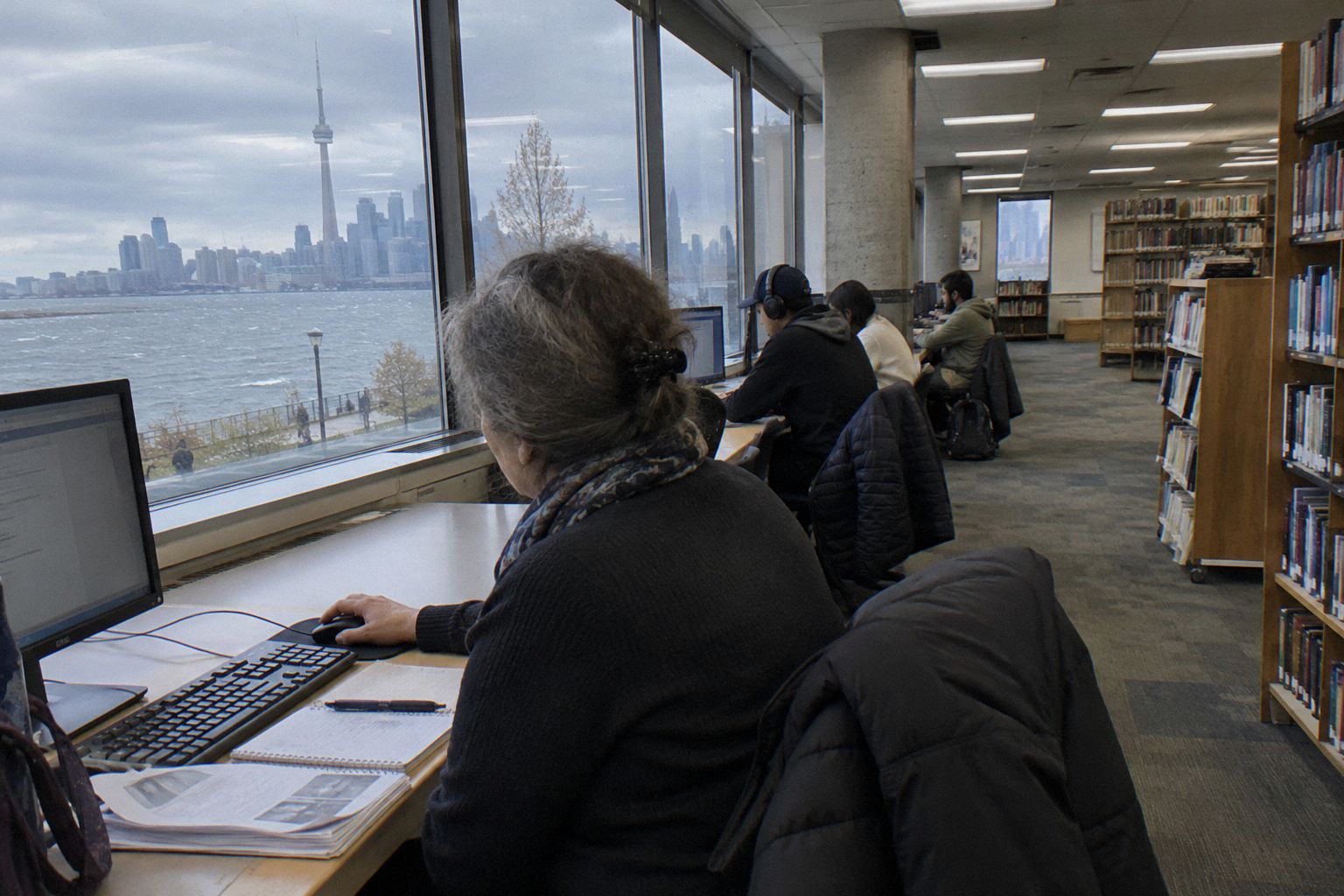
What Are The Ways To Learn Basic Computer Skills In Canada?
Four routes cover almost everyone: an online Coursera course, free public library classes, a college computing fundamentals course, or a free employment program such as NPower Canada.
| Route | Time | Cost (CAD) | What You Get | Recognised By | Best For |
|---|---|---|---|---|---|
| Introduction to Computers | 2 weeks at 10 hours a week | Not listed | Shareable certificate | Not listed | Anyone testing the field before committing |
| Toronto Public Library computer classes | 1-4 weeks part-time | $0 | None or completion certificate | Local employers for basic skills | Toronto residents, seniors and adults |
| NorQuest College CMPT 1000 | 8-16 weeks | $200 | Course certificate | Colleges and some employers | Alberta learners wanting a college computing fundamentals course |
| NPower Canada tech training | Several months | $0 | IT certifications | Employers in tech and admin | Jobseekers in BC, Alberta, Ontario, Manitoba and Nova Scotia |
I recommend the Coursera or library route first for anyone unsure, and NPower Canada for unemployed jobseekers in its five provinces who want certifications plus employment support.
What Is The Fastest Way To Learn Computer Basics In Canada?
The fastest free route runs through public library classes or online modules, then straight into job applications; Toronto Public Library says no library card is required.
- Complete free basic computer modules at Toronto Public Library or through its online learning pathways, 1 to 2 weeks at no cost.
- Practise Microsoft Office basics using free library resources or Northstar assessments, 1 week, still $0.
- Apply to entry-level administrative assistant roles under NOC 13110 or other entry-level office jobs, highlighting the skills you practised; Job Bank shows 1 to 4 weeks to a first interview.
- If you want a certificate to show, add Microsoft's Introduction to Computers on Coursera, 2 weeks at 10 hours a week.
Do Employers In Canada Require A Computer Basics Certificate?
No separate computer-basics licence or registration is required. A formal computer-basics certificate is usually not required, and demonstrated skills may suffice for many admin roles.
No formal certificate is usually required, and demonstrated skills through courses or experience may suffice for many admin roles. Employers seek proficiency in Microsoft Word, Excel, email, internet navigation and file management for administrative and entry-level roles, which is why free library classes and their completion records carry real weight: they show practice, not just a claim.
Where a certificate helps is competition. A NorQuest College course certificate, a Coursera shareable certificate, or an IT certification from NPower Canada gives your resume a line that self-rated skills lack, and NPower's certifications are recognised by employers in tech and admin in British Columbia, Alberta, Ontario, Manitoba and Nova Scotia.
Which Computer Basics Courses Are Worth Taking In Canada?
Here are the courses I compare with clients, starting with the Coursera options that let you test the field, then Udemy, then the Canadian colleges and providers.
Introduction to Computers
Introduction to Computers is a 2 week online course at 10 hours a week from Microsoft on Coursera.
| Provider | Microsoft |
|---|---|
| Length | 2 weeks at 10 hours a week |
| Rating | 4.8 (1,126 reviews) |
| Credential | Shareable certificate |
| Format | online |
Fiona's take: This is my default first recommendation. Microsoft built it, it carries a 4.8 rating from 1,126 reviews, and two weeks of 10 hours is short enough that a beginner can finish before motivation fades. The shareable certificate gives you something concrete to list on a resume for NOC 13110 style roles.
Skip it if: Skip it if you already handle Windows, files and common software confidently, because it repeats fundamentals you will find slow.
Start On CourseraIntroduction to Computer Programming with Visual Basic Specialization
Introduction to Computer Programming with Visual Basic Specialization is a 2 month online specialization at 10 hours a week from LearnQuest on Coursera.
| Provider | LearnQuest |
|---|---|
| Length | 2 months at 10 hours a week |
| Rating | 4.6 (177 reviews) |
| Credential | Shareable certificate |
| Format | online |
Fiona's take: This one moves from basics toward actual programming with Visual Basic, rated 4.6 from 177 reviews. It suits the beginner who finishes a fundamentals course and wants to know whether writing code appeals before considering a diploma. Two months of 10 hours a week is a real commitment, so treat it as a decision point, not a casual browse.
Skip it if: Skip it if your goal is office admin rather than programming, since Visual Basic is a specific direction most office jobs never touch.
Start On CourseraTechnical Support Fundamentals
Technical Support Fundamentals is an online course from Google on Coursera.
| Provider | |
|---|---|
| Rating | 4.8 (2.1K reviews) |
| Credential | Shareable certificate |
| Format | online |
Fiona's take: Google's course, rated 4.8 across 2.1K reviews, is the fundamentals-level entry to technical support. If you like computers but would rather fix them than file reports in them, this tells you within a course whether help desk work fits. It is a genuine beginner on-ramp with a shareable certificate.
Skip it if: Skip it if you only need Word, email and internet skills for an office job, because troubleshooting hardware and networks is a different track.
Start On CourseraComputer Basics for Beginners: Understanding Computer Basics
Computer Basics for Beginners: Understanding Computer Basics is an online course from Todd McLeod on Udemy.
| Provider | Todd McLeod |
|---|---|
| Rating | 4.5 (4,388 ratings) |
| Credential | Certificate of completion |
| Format | online |
Fiona's take: McLeod's course carries a 4.5 rating from 4,388 ratings, one of the larger review samples among Udemy computer basics titles. It works as a pause-and-rewind alternative to live library classes, which suits adults who feel embarrassed asking questions in a room. The completion certificate is Udemy's own, so treat it as motivation rather than a credential employers verify.
Skip it if: Skip it if you want instructor feedback, because prerecorded video cannot answer the specific question that is blocking you.
View On UdemyThe Complete Computer Basics Guide for Beginners: 2026
The Complete Computer Basics Guide for Beginners: 2026 is a 13h 54m online course from Sarmad Jadoon on Udemy.
| Provider | Sarmad Jadoon |
|---|---|
| Length | 13h 54m total length |
| Rating | 4.4 (1,538 ratings) |
| Credential | Certificate of completion |
| Format | online |
Fiona's take: At 13h 54m of video this is a weekend-plus project rather than a semester, and the 4.4 rating from 1,538 ratings puts it in the same reliability band as McLeod's course. The title includes 2026. Compare it against the free library option before you pay, since the ground covered overlaps.
Skip it if: Skip it if you have already taken any structured basics course, because a second pass over the same ground adds little.
View On UdemyComputing Fundamentals - CMPT 1000
Computing Fundamentals (CMPT 1000) is a hybrid course from NorQuest College in Alberta.
| Provider | NorQuest College |
|---|---|
| Format | hybrid, Alberta |
Fiona's take: This course develops the foundational skills for entry-level digital workplace roles, with proficiency in Word processing, spreadsheets, database and presentation applications. It sits in the 8 to 16 week band and costs about $200, the least expensive Canadian college route I point clients to at that price. It is recognised by colleges and some employers, and hybrid delivery fits working adults.
Skip it if: Skip it if you are outside Alberta and want local recognition, because a college's employer network is strongest in its own province.
See Program DetailsApplied Computer Concepts COMP 1002
Applied Computer Concepts (COMP 1002) is an online course from BCIT in British Columbia.
| Provider | BCIT |
|---|---|
| Format | online, British Columbia |
Fiona's take: COMP 1002 is BCIT's online computer concepts course, listed for British Columbia. I suggest it for BC residents who want a course from a provincial institution rather than an international platform. Online delivery means you keep your job while you study.
Skip it if: Skip it if you only need personal skills, because Toronto Public Library's free classes cover computer basics at no cost.
See Program DetailsComputer Systems Technology Certificate
Computer Systems Technology Certificate is a 1 year full-time in person certificate from Keyano College in Alberta.
| Provider | Keyano College |
|---|---|
| Length | 1 Year (Full-time) |
| Credential | Certificate |
| Format | in person, Alberta |
Fiona's take: This is a step beyond basics, a full year full-time in Alberta. I raise it with clients who finish a fundamentals course and want the technical depth that leads toward IT roles rather than admin roles. In person delivery means a real cohort and schedule, which helps students who struggled to stay engaged with free online modules.
Skip it if: Skip it if you need job-ready office skills quickly, because a full year in person is the slowest and most disruptive route on this list.
See Program DetailsComputer Foundations
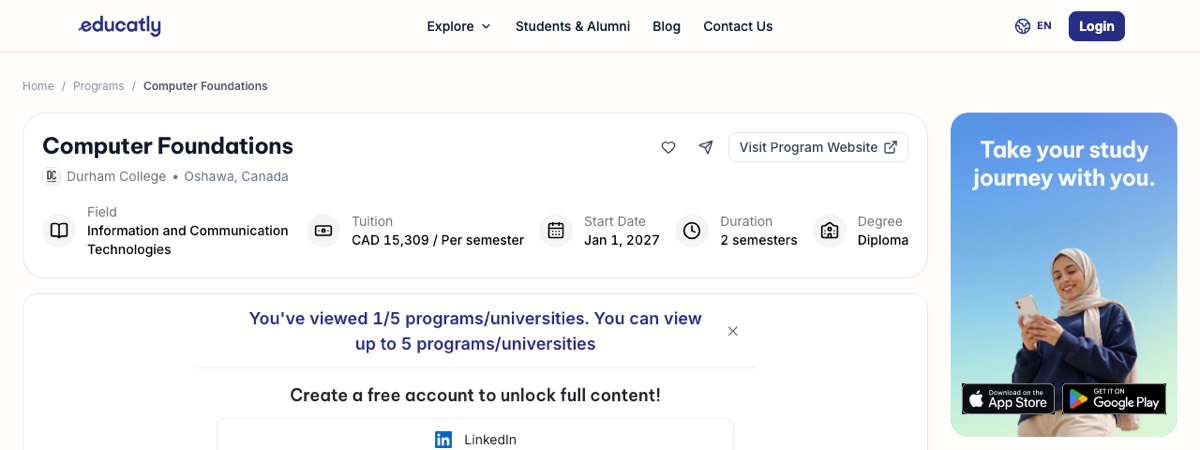
Computer Foundations is an eight month in person certificate from Durham College in Ontario.
| Provider | Durham College |
|---|---|
| Length | eight months |
| Cost (CAD) | Year one domestic: $2,722 (CAD) |
| Credential | Certificate |
| Format | in person, Ontario |
Fiona's take: Durham's certificate runs eight months in person and costs $2,722 in year one for domestic students. That figure is the top end of what a true beginner should consider paying, and I only suggest it when a client wants a structured Ontario credential with classmates and fixed deadlines. Eight months also gives time to build study habits that a two week course never touches.
Skip it if: Skip it if $2,722 is out of budget, because demonstrated skills, not credential level, are what usually carry the hiring decision in admin roles.
See Program DetailsBasic Computer Skills - MCT100
Basic Computer Skills (MCT100) is an online, in person or hybrid course from Seneca Polytechnic in Ontario.
| Provider | Seneca Polytechnic |
|---|---|
| Format | online/in person/hybrid, Ontario |
Fiona's take: Seneca lists MCT100 in three delivery modes, online, in person and hybrid, the most flexible arrangement of any course here. That flexibility is why I flag it for Toronto area adults juggling shifts or childcare: you choose the format that matches your week. It targets the baseline skills employers seek for entry-level roles in Word, Excel, email and file management.
Skip it if: Skip it if you live far from the GTA and value local employer recognition, because commuting to Seneca defeats the point of its in person option.
See Program DetailsIT Operations Professional Certificate
IT Operations Professional Certificate is a part-time hybrid certificate from Vancouver Community College in British Columbia.
| Provider | Vancouver Community College |
|---|---|
| Length | 1 to 3 years (maximum) on a part-time basis |
| Credential | Certificate |
| Format | hybrid, British Columbia |
Fiona's take: VCC lets you finish this certificate over 1 to 3 years part-time, which is the most forgiving timeline on this page. I recommend it for working adults in Vancouver who want a stack of IT operations courses but cannot quit a job. Hybrid delivery also means in person help in Vancouver when a module stalls.
Skip it if: Skip it if you want speed, because a program you can stretch to 3 years will not change your job prospects this year.
See Program DetailsComputing Concepts - TECH100
Computing Concepts (TECH100) is a 13 week online course from University of Victoria Continuing Studies in British Columbia.
| Provider | University of Victoria Continuing Studies |
|---|---|
| Length | 13 weeks |
| Format | online, British Columbia |
Fiona's take: TECH100 runs 13 weeks online through University of Victoria Continuing Studies, which lands between a short Udemy burst and a full certificate. Thirteen weeks is enough time for a beginner to consolidate rather than skim. I suggest it for BC learners who want a longer, structured online course from a university continuing studies division.
Skip it if: Skip it if free library classes cover your needs, because a 13 week paid course only makes sense when you want the longer structure.
See Program DetailsHow Much Does A Computer Basics Course Cost In Canada?
Most library and government-funded programs cost $0; paid single-course options in the pack are around $200 to $206, and Durham's listed year one domestic certificate cost is $2,722.
| Route | Time | Cost (CAD) | What You Pay For |
|---|---|---|---|
| Toronto Public Library classes | 1-4 weeks part-time | $0 | In person beginner classes, no library card required |
| Coursera Introduction to Computers | 2 weeks at 10 hours a week | Not listed | A shareable certificate from Microsoft |
| Heritage College Computer Skills for the Workplace | Single course | $206 | A workplace-focused course |
| NorQuest College CMPT 1000 | 8-16 weeks | $200 | A college course certificate in Alberta |
| Durham College Computer Foundations | Eight months in person | $2,722 | A full Ontario college certificate, year one domestic |
| NPower Canada tech training | Several months | $0 | IT certifications plus employment programs |
The pattern I tell clients to notice: library and government-funded programs sit at $0, single college courses land around $200 to $206, and the jump to a multi-month certificate is a different decision. Heritage College charges $206 for its Computer Skills for the Workplace course, and NorQuest's CMPT 1000 sits around $200, so a single paid course should not drift past that band without a clear reason.
NPower Canada is the outlier worth memorising. It charges nothing and delivers IT certifications to jobseekers in British Columbia, Alberta, Ontario, Manitoba and Nova Scotia, which makes the paid college routes hardest to justify for unemployed clients in those provinces.
How Much Does An Administrative Assistant Earn In Canada?
Job Bank puts the median for NOC 13110 administrative assistants at $26.44 per hour in Canada, and the figure moves with province.
| Jurisdiction | Median Hourly Wage | NOC Code |
|---|---|---|
| Canada | $26.44 | 13110 |
| Ontario | $26.67 | 13110 |
| British Columbia | $28.50 | 13110 |
| Alberta | $26.43 | 13110 |
| Quebec | $26.00 | 13110 |
| Manitoba | $24.32 | 13110 |
Among the provinces listed, British Columbia stands at $28.50 and Manitoba at $24.32, a gap that matters when you weigh relocating against studying. Ontario at $26.67 sits close to the national median of $26.44, so geography changes less than people expect in the provinces listed.
Job Bank states that job prospects vary across Canada depending on the province or territory. Because these roles are the target of basic computer training, that variation is the main reason to check your local outlook before choosing between a free library class and a paid certificate.
Is A Computer Basics Course Worth It In 2026?
For most adults I advise, yes, because the cost side can sit at zero. Toronto Public Library classes are free and open to everyone with no library card required, and NPower Canada charges nothing in five provinces. A benefit that arrives at $0 needs only a small wage gain to pay off, and NOC 13110 carries a $26.44 national median.
The harder question is whether a paid course is worth it, and there my answer narrows. A $206 course at Heritage College or a $200 course like NorQuest's CMPT 1000 is a modest, defensible spend when you want a certificate an employer can check. The $2,722 Durham College certificate only makes sense if you want structured, in person learning and the Ontario credential on your resume.
Where I see the best return is for newcomers and returning adults. Employers seek proficiency in Word, Excel, email, internet navigation and file management for entry-level roles, and a course certificate plus a shareable Coursera certificate answers that in a way self-rated skills cannot. Two to four weeks of study is a small price for that credibility.
Can You Get Funding For Computer Training In Canada?
Funding here means free programs rather than loans or grants: Ontario Works digital literacy courses, Toronto Public Library classes and NPower Canada tech training all cost $0, so there is nothing to repay.
- Ontario Works digital literacy courses. Ontario Works clients can access free programs to improve basic computer skills, delivered through regional social support channels such as Peel Region's financial and social support services. If you already receive Ontario Works, this is the first thing to ask your caseworker about, because the programs exist specifically for clients.
- Toronto Public Library free classes. Toronto Public Library offers free in person computer classes across Toronto, open to everyone with no library card required. For seniors and adults who want a classroom without paperwork or fees, this is a simple free option in Toronto.
- NPower Canada free tech training. NPower Canada runs no-cost tech training and IT certification programs for Canadian jobseekers in British Columbia, Alberta, Ontario, Manitoba and Nova Scotia. It is employment-focused, so it suits people who need a job outcome rather than a hobby skill.
Computer Courses Questions Canadians Ask
Are There Free Computer Classes For Adults Near Me In Canada?
Yes, and Toronto Public Library is the clearest example. It offers free in person computer classes across Toronto, open to everyone with no library card required. Other library systems run similar beginner classes, so your local branch is the first place to check before paying anyone.
What Basic Computer Skills Do Employers In Canada Want?
Employers seek proficiency in Microsoft Word, Excel, email, internet navigation and file management for administrative and entry-level roles. Practise those five and you cover most of what an entry-level job posting asks for. Heritage College lists its Computer Skills for the Workplace course at $206 if you want a paid option.
How Long Does A Basic Computer Course Take In Canada?
Free library classes last 1 to 4 weeks part-time, and college courses typically run 8 to 16 weeks, as NorQuest College's CMPT 1000 illustrates. Coursera's Microsoft Introduction to Computers sits in between at 2 weeks of 10 hours each. Pick the format that matches how fast you need the skill.
Can Seniors Take Free Computer Classes In Canada?
Yes, library and community programs, including BAnq's introductory computer resources in Quebec and programs in Ontario, offer free or low-cost classes for seniors and adults. Toronto Public Library's classes are open to everyone, so seniors can join the same beginner sessions.
Do I Need A Certificate For Basic Computer Skills Jobs In Canada?
No formal certificate is usually required. Demonstrated skills via courses or experience may suffice for many admin roles under NOC 13110. A certificate still helps you stand out when several applicants self-rate as proficient.
What Is The Median Wage For Administrative Assistants In Canada?
The median hourly wage is $26.44 in Canada, per Job Bank data for NOC 13110. Among the provinces listed, Manitoba is $24.32 and British Columbia is $28.50, with Ontario at $26.67 and Quebec at $26.00. Treat that spread as your negotiating baseline.
Are There Free Online Computer Classes With Certificates In Canada?
Libraries provide free access to platforms such as Cisco Networking Academy, and some issue completion records, though formal certificates may require paid options. Toronto Public Library's Let's Learn Tech Online page is the place to start, and Coursera courses carry shareable certificates if you want a document.
How Can I Get Funding For Computer Training In Canada?
Ontario Works clients can access free programs to improve basic computer skills through their caseworker, and libraries, adult learning networks and government digital inclusion initiatives open further free options. NPower Canada adds no-cost certification training in five provinces. Toronto Public Library's classes, open to everyone with no library card, are the simplest starting point.
What's The Bottom Line On Computer Programs Courses In Canada?
- Start free: Toronto Public Library classes cost $0, run 1 to 4 weeks part-time, and require no library card.
- Test the field first with Introduction to Computers, Microsoft's 2 week Coursera course at 10 hours a week with a shareable certificate, before committing to college tuition.
- No separate licence or registration is required, and a formal computer-basics certificate is usually not required for admin roles; a $200 to $206 college course or a NPower Canada certification is optional proof, not a gate.
- Median pay is $26.44 per hour in Canada, with Manitoba at $24.32 and British Columbia at $28.50 among the provinces listed, and Job Bank says prospects vary by province.
- Reserve the Durham College certificate, $2,722 in year one domestic, for people who want structured in person learning; most beginners never need it.